Lumail vs HubSpot Marketing Hub: Which Email Platform Fits How You Work?
HubSpot bills per seat and marketing contact, with full workflows on Professional. Lumail bills by emails sent, with workflows and MCP on every plan.
In this guide
Lumail is an email platform that bills by emails sent, with unlimited subscribers on every plan. HubSpot Marketing Hub is an inbound marketing suite built on the HubSpot CRM, billed by seats plus marketing contacts, with a monthly send cap tied to that contact tier.
If your team already lives in HubSpot's CRM, email is one channel among ads, social, forms, and attribution. If email is the job itself, and you want agents to operate it, the pricing and the feature gates look very different. HubSpot facts in this comparison come from its official pricing page as of August 2026. Verify current limits before purchasing, and see the side-by-side comparison table for the compact version.
Lumail vs HubSpot Marketing Hub at a glance
| Decision | Lumail | HubSpot Marketing Hub |
|---|---|---|
| Core focus | Campaigns, workflows, transactional email, and AI-agent operations | Inbound marketing on the HubSpot CRM |
| Pricing basis | Email volume; unlimited subscribers on every plan | Seats plus marketing contacts; sends capped at a contact multiple |
| Free plan | 3,000 emails per month, no credit card | 2,000 emails per month with HubSpot branding |
| Paid entry | Premium at $20/month with 40,000 emails | Starter at $20/month per seat, 1,000 marketing contacts |
| AI and developer access | 89 MCP tools, CLI, TypeScript SDK, REST API | Breeze AI, REST APIs, and an MCP focused on CRM and drafts |
| Automation | Graph workflows included on every plan | Full workflows start on Professional at $890/month |
| Transactional email | Built in through the API or SMTP | Sales add-on for Professional and Enterprise only |
| Best fit | Teams operating email through agents, code, and a visual app | Inbound teams running marketing on HubSpot CRM data |
Lumail's current plans are on the Lumail pricing page.
Choose Lumail if AI agents should operate your email
This is the structural difference, and it matters more than any single feature row.
HubSpot has more AI than most suites: Breeze Assistant, AI copy in the email editor, credit-metered agents, REST APIs, and an official MCP server. That MCP can read CRM records and email analytics and create marketing email drafts, but its documentation does not list sending a campaign, publishing a workflow, or sending transactional email. An agent can prepare work inside HubSpot. It cannot run the email program end to end.
Lumail exposes 89 organization-scoped MCP tools covering subscribers, tags, segments, campaigns, workflows, templates, analytics, and transactional sending. The same operations run inside ChatGPT, Claude, Claude Code, and Cursor, plus a CLI, a TypeScript SDK, and a REST API.
In practice, you can ask an assistant to:
- draft next week's campaign from a brief and your existing template;
- build a segment from tags and engagement before a targeted send;
- read a workflow and explain why a subscriber took a specific branch;
- inspect a rendered email and flag broken links before scheduling.
You keep consequential actions behind human approval. The point is that the assistant works on the real system, not a copy of it.
Choose HubSpot if marketing already runs on HubSpot CRM
HubSpot's strength is that email sits on the same records as sales and service. Marketing Hub combines email with forms, landing pages, ads, social, and multi-touch attribution. Professional and Enterprise add omnichannel journeys, lead scoring, and reporting on CRM data, and Breeze agents are grounded in those same records.
For a revenue team that wants one source of truth for every contact, that integration is worth paying for.
Choose HubSpot if:
- your sales and marketing already run on HubSpot CRM;
- you need ads, social, forms, and attribution next to email;
- you want enterprise journey orchestration, governance, and lead scoring.
Lumail does not replace a CRM, ad manager, or social scheduler. It replaces the email layer: campaigns, automations, and transactional sending.
Compare the pricing models, not the starting prices
Both products show $20 at entry. On HubSpot, that is per seat. On Lumail, it is for the whole organization.
HubSpot prices by edition, seats, and marketing contacts. Your monthly send limit is a multiple of your contact tier: 5x on Starter, 10x on Professional, 20x on Enterprise. Hit the cap and sends stop until next month. Starter is $20/month per seat with 1,000 marketing contacts, so 5,000 emails a month. Professional starts at $890/month with three seats, 2,000 marketing contacts, and 20,000 emails, plus a required $3,000 onboarding fee. Enterprise starts at $3,600/month billed annually. The free plan allows 2,000 emails a month with HubSpot branding and one automated action.
Lumail prices by emails sent, with unlimited subscriber storage on every plan:
- Free: 3,000 emails per month, no credit card;
- Premium: $20/month with 40,000 emails included, then $0.60 per 1,000;
- Business: $200/month with 400,000 emails included, then $0.40 per 1,000.
A worked example
Say you have 2,000 subscribers, send a weekly newsletter (about 8,000 emails a month), and want a multi-step onboarding workflow with branches.
On HubSpot, Starter caps automation at 10 actions and would need extra contact bands to cover the list. Full workflows mean Professional: $890/month for 2,000 marketing contacts and up to 20,000 emails, plus $3,000 once for onboarding.
On Lumail, 8,000 emails fits inside Premium: $20/month, with the branching workflow included. If the list grows to 10,000 subscribers and you keep sending weekly, that is 40,000 emails, still $20.
The comparison is only this lopsided if email is what you are buying. If you would pay for HubSpot's CRM, ads, and attribution anyway, the email features come with a platform you already need.
Compare automation and transactional email
HubSpot gates automation by edition. Free allows one automated email action and Starter up to 10. Full workflows, with event, schedule, and webhook enrollment, start on Professional, which supports up to 300 workflows. Enterprise adds behavioral events and predictive lead scoring.
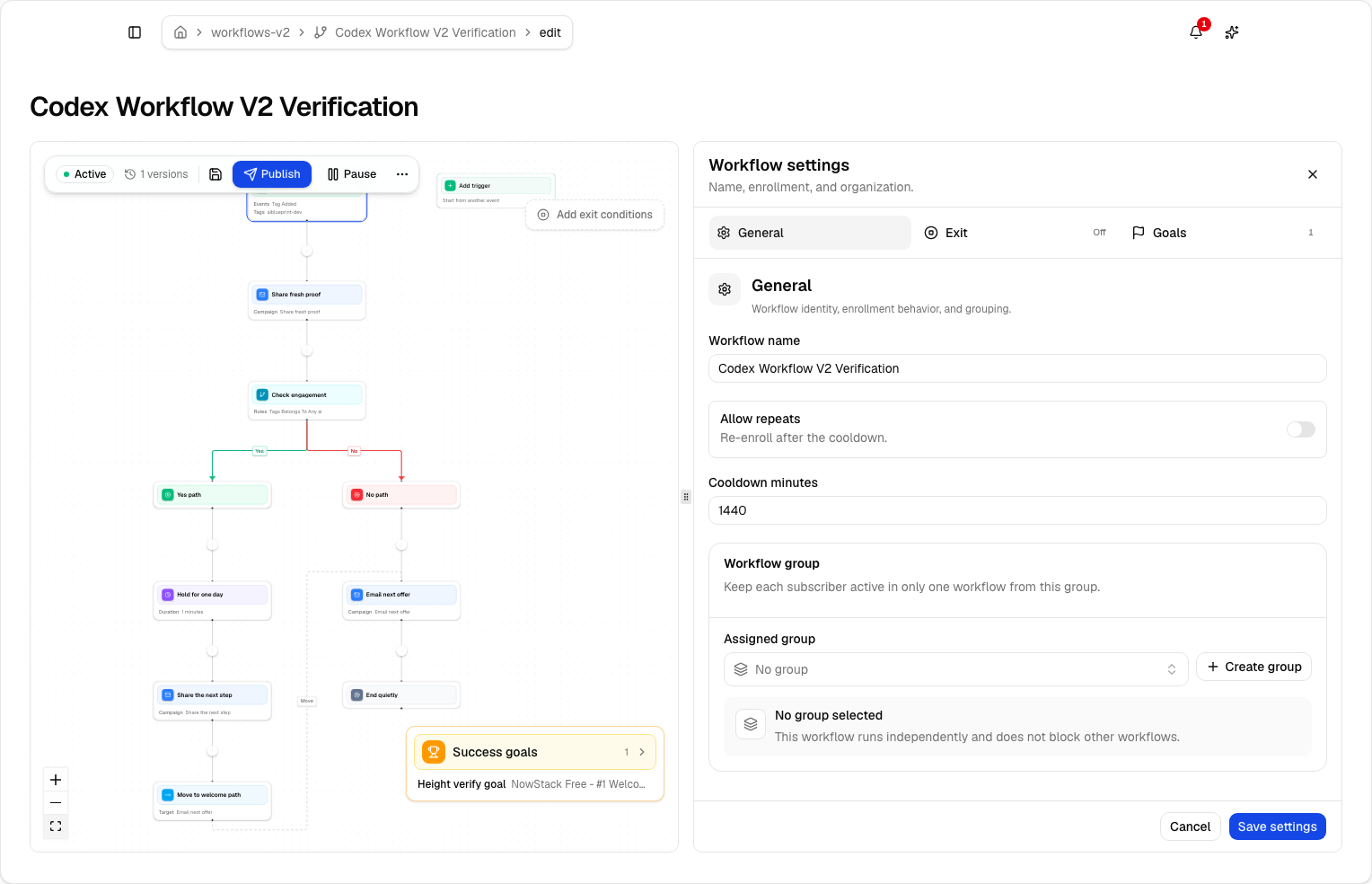
Lumail includes graph workflows on every plan: subscriber, tag, event, schedule, and manual triggers; email, wait, and webhook steps; condition branches; and goals and exit rules. Agents can read and edit them through MCP.
Transactional email is a separate purchase on HubSpot, sold through sales as an add-on to Professional or Enterprise, with no public price. Lumail sends receipts, password resets, and other product email through the REST API or smtp.lumail.io:587 with STARTTLS, in the same organization as your campaigns, on every plan.
Migrating from HubSpot to Lumail
- Export marketing contacts and suppressions. Export contacts, lists, and unsubscribes. Import suppressions as well as actives to protect deliverability.
- Map properties to tags and fields. HubSpot properties and lists do not map one to one, so decide which ones your segments actually need.
- Authenticate your sending domain. Set up SPF and DKIM in Lumail and keep HubSpot sending while DNS propagates.
- Rebuild your key journey as a graph. Recreate one workflow, test every branch with test subscribers, then send one campaign to a small segment.
- Move transactional email and connect agents. Point product email at the Lumail API or SMTP, then connect MCP to your assistant and run one real task.
You can keep HubSpot as your CRM and use Lumail only for email. Many teams do exactly that.
Frequently asked questions
Is Lumail a HubSpot alternative?
Lumail is an alternative to Marketing Hub's email layer: campaigns, automations, and transactional sending. It does not replace HubSpot CRM, ads, social, or Sales and Service Hub.
Is Lumail cheaper than HubSpot?
Usually, if email is what you are buying. Professional starts at $890/month for 20,000 emails plus $3,000 onboarding, while 40,000 emails on Lumail Premium is $20/month.
What is the main difference between Lumail and HubSpot?
Marketing Hub is inbound marketing on HubSpot CRM, billed by seats and contacts, with full workflows and transactional email on higher editions. Lumail is email-first, billed by volume, with workflows, transactional email, and 89 MCP tools on every plan.
Can I migrate from HubSpot to Lumail?
Yes. Export contacts and unsubscribes, import them into Lumail by CSV or API, rebuild your workflows, and move transactional sending to Lumail's API or SMTP.
Which one should you choose?
Choose HubSpot Marketing Hub if marketing already runs on HubSpot CRM and you need ads, social, attribution, and enterprise journeys on the same records.
Choose Lumail if email is a system you operate: agents working through 89 MCP tools, graph workflows and transactional email on every plan, and a bill that follows what you send instead of seats and contact tiers.
You can start Lumail free with 3,000 emails per month and no credit card, review the pricing plans, or browse the full comparison hub.