Lumail vs Kajabi: Which Email Platform Fits How You Work?
Kajabi bundles courses, checkout, and email from $179/month with contact caps. Lumail is email only: billed by emails sent, unlimited subscribers, 89 MCP tools.
In this guide
Lumail is an email platform that bills by emails sent, with unlimited subscribers on every plan. Kajabi is an all-in-one platform for coaches and educators that bundles courses, coaching, community, checkout, and email in a contact-capped subscription from $179/month.
If you sell knowledge products, Kajabi's price buys the whole storefront, and email comes with it. If email is what you actually need, you would be paying for a school you do not run. Kajabi facts in this comparison come from its official pricing page as of August 2026. Verify current limits before purchasing, and see the side-by-side comparison table for the compact version.
Lumail vs Kajabi at a glance
| Decision | Lumail | Kajabi |
|---|---|---|
| Core focus | Campaigns, workflows, transactional email, and AI-agent operations | Courses, coaching, community, checkout, and email in one account |
| Pricing basis | Email volume; unlimited subscribers on every plan | Flat subscription with contact caps; unlimited marketing emails |
| Free plan | 3,000 emails per month, no credit card | None; 30-day free trial |
| Paid entry | Premium at $20/month with 40,000 emails | Basic at $179/month for 2,500 contacts |
| AI and developer access | 89 MCP tools, CLI, TypeScript SDK, REST API | MCP on every plan; REST API on Pro or as an add-on |
| Automation | Graph workflows included on every plan | Sequences on all plans; conditional automations from Growth |
| Transactional email | Built in through the API or SMTP | Purchase and account notices only; no transactional API or SMTP |
| Best fit | Teams operating email through agents, code, and a visual app | Experts selling courses, coaching, and memberships |
Lumail's current plans are on the Lumail pricing page.
Choose Lumail if AI agents should operate your email
This is one comparison where both products take agents seriously, so the difference is scope.
Kajabi includes an official MCP server on every plan, with more than 100 documented tools across sites, courses, community, commerce, contacts, and email. It is built to draft across the whole business: writes land as drafts, and it cannot send live email blasts. Kajabi documents no CLI or TypeScript SDK, and its REST API requires Pro or a $25/month add-on.
Lumail's surface is focused on the email system. It exposes 89 organization-scoped MCP tools covering subscribers, tags, segments, campaigns, workflows, templates, analytics, and transactional sending. The same operations run inside ChatGPT, Claude, Claude Code, and Cursor, plus a CLI, a TypeScript SDK, and a REST API.
In practice, you can ask an assistant to:
- draft next week's campaign from a brief and your existing template;
- build a segment from tags and engagement before a targeted send;
- read a workflow and explain why a subscriber took a specific branch;
- summarize last month's results without exporting a spreadsheet.
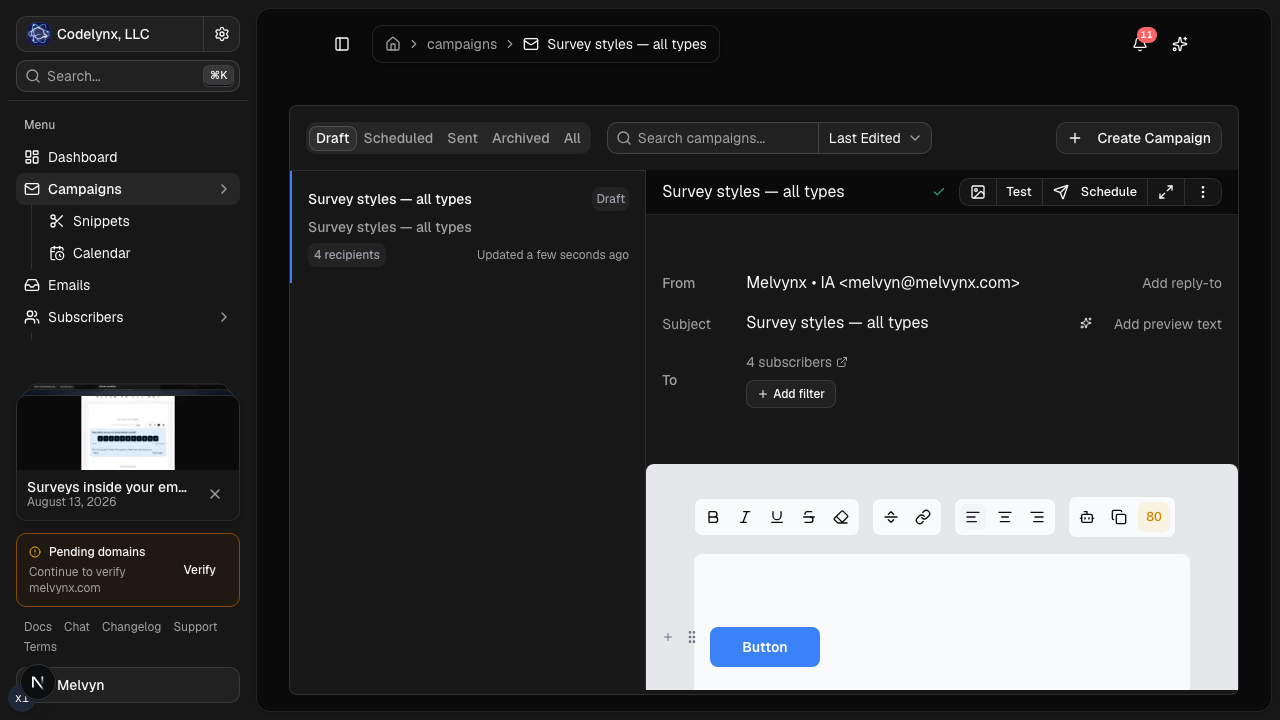
Humans still review and schedule in the visual editor. Consequential actions stay behind approval.
Choose Kajabi if you sell courses, coaching, or memberships
Kajabi's strength is that one account runs the whole expert business. You build courses, coaching programs, memberships, and communities; sell them through checkout and Kajabi Payments; market them with unlimited landing pages, funnels, and marketing emails; and publish a newsletter, optionally paid, alongside a website.
For a coach who would otherwise stitch together a course host, a checkout tool, a community app, and an email platform, that consolidation is the product.
Choose Kajabi if:
- you sell courses, coaching, memberships, or community access;
- you want checkout, delivery, and email in one account;
- you want an AI assistant that drafts offers, pages, and courses, not only email.
Lumail does not host courses, take payments, or build websites. It offers capture pages for subscriber acquisition, and its scope is the email system itself.
Compare the pricing models, not the starting prices
Kajabi charges a flat subscription with a contact cap and unlimited marketing emails. Basic is $179/month ($143/month billed annually) for 2,500 contacts. Growth is $249/month ($199 annually) for 25,000 contacts. Pro is $499/month ($399 annually) for 100,000 contacts. Extra contacts cost $25/month per 5,000. There is no free plan, only a 30-day trial.
Lumail prices by emails sent, with unlimited subscriber storage on every plan:
- Free: 3,000 emails per month, no credit card;
- Premium: $20/month with 40,000 emails included, then $0.60 per 1,000;
- Business: $200/month with 400,000 emails included, then $0.40 per 1,000.
A worked example
Say you have 10,000 subscribers and send a weekly newsletter, about 40,000 emails a month.
On Kajabi, 10,000 contacts is past the Basic cap, so you are on Growth: $249/month, or $199/month billed annually. That price also includes courses, checkout, and community.
On Lumail, 40,000 emails fits exactly inside Premium: $20/month. Add a launch campaign on top, 10,000 more emails, and the month costs $26.
The two bills are not buying the same thing. If you would pay for a course platform and checkout anyway, compare Kajabi against that whole stack, not against Lumail alone. If you only need email, the gap is large.
Compare automation and transactional email
Kajabi covers broadcasts and drip sequences on every plan. Basic allows simple "when this, then that" automations inside individual products and forms. Conditional automations and an optional branching canvas require Growth or Pro.
Lumail includes graph workflows on every plan: subscriber, tag, event, schedule, and manual triggers; email, wait, and webhook steps; condition branches; and goals and exit rules. Agents can read and edit them through MCP.
Transactional email is a clear split. Kajabi sends its own platform notices, such as purchase confirmations and account changes, from a Kajabi-hosted address. It does not offer a transactional API or SMTP relay for your own product. Lumail sends receipts, password resets, and other product email through the REST API or smtp.lumail.io:587 with STARTTLS, in the same organization as your campaigns.
Migrating from Kajabi to Lumail
- Decide what stays on Kajabi. Courses, offers, communities, and checkout do not move. Many teams keep Kajabi for delivery and move only email.
- Export contacts with consent status. Export contacts, tags, and marketing-consent status, then import them into Lumail as subscribers.
- Authenticate your sending domain. Set up SPF and DKIM in Lumail and keep Kajabi sending while DNS propagates.
- Rebuild sequences as workflows. Recreate your welcome and launch sequences as graph workflows and test them with test subscribers.
- Send one campaign and connect agents. Send to a small segment first, then connect MCP to your assistant and run one real task.
Frequently asked questions
Is Lumail a Kajabi alternative?
Yes for email marketing, newsletters, automations, and agent access. It is not a replacement for Kajabi's courses, coaching, community, or checkout.
Is Lumail cheaper than Kajabi?
For email alone, yes: Lumail Premium is $20/month, while Kajabi Basic is $179/month ($143 annually) with a 2,500-contact cap. Kajabi's fee also buys courses, community, websites, and checkout, so it is not a like-for-like bill.
What is the main difference between Lumail and Kajabi?
Kajabi is an all-in-one platform for expert businesses with email included. Lumail is an email platform with unlimited subscribers, volume pricing, graph workflows, and transactional email, and no course builder or checkout.
Can I migrate from Kajabi to Lumail?
You can move the audience, not the Kajabi business. Export contacts and consent status, import them into Lumail, and rebuild sequences as workflows.
Which one should you choose?
Choose Kajabi if you sell courses, coaching, or memberships and want products, payments, community, and email in one account.
Choose Lumail if email is a system you operate: agents working through 89 MCP tools, graph workflows and transactional email on every plan, and a bill that follows what you send instead of how many contacts you store.
You can start Lumail free with 3,000 emails per month and no credit card, review the pricing plans, or browse the full comparison hub.