Lumail vs MailPoet: Which Email Platform Fits How You Work?
MailPoet runs email inside WordPress and prices by subscribers. Lumail is a standalone platform billed by emails sent, with 89 MCP tools. Compare the fit.
In this guide
MailPoet is a WordPress plugin from Automattic and WooCommerce that runs newsletters, signup forms, and store emails inside wp-admin, priced by subscriber count; Lumail is a standalone email platform priced by emails sent, with unlimited subscribers and 89 MCP tools so AI agents can operate it.
If your business runs on WordPress, MailPoet's biggest advantage is that it never makes you leave. If it does not, or if you want email to work with agents and product code as well as your website, Lumail is built for that. MailPoet facts in this comparison come from its official pricing page as of August 2026; verify current limits before purchasing, because plans change. For the compact version, see the side-by-side comparison table.
Lumail vs MailPoet at a glance
| Decision | Lumail | MailPoet |
|---|---|---|
| Core focus | Campaigns, workflows, transactional email, and AI-agent operations | Email marketing inside WordPress and WooCommerce |
| Pricing basis | Email volume; unlimited subscribers on every plan | Subscriber count, including inactive contacts, WordPress users, and store customers |
| Free plan | 3,000 emails per month, no credit card | 500 subscribers and 5,000 emails per month, with MailPoet branding |
| Paid entry | Premium: $20/month with 40,000 emails included | Creator: $8/month for 500 subscribers, with your own sending |
| AI and developer access | 89 MCP tools, ChatGPT app, CLI, TypeScript SDK, REST API | PHP API inside WordPress; no MCP server, CLI, or hosted API |
| Automation | Graph workflows on every plan | Visual automations on WordPress and store events; branching is paid |
| Transactional email | API or SMTP for any app, in the same organization | Routes your WordPress and WooCommerce site email; not for other apps |
| Best fit | Teams running email through agents and code, on any stack | WordPress and WooCommerce owners who want email inside wp-admin |
Lumail's current plans are on the Lumail pricing page.
Choose Lumail if AI agents should operate your email
MailPoet is designed to be operated from the WordPress dashboard. Its developer surface is a PHP API that runs inside WordPress for managing subscribers and lists, and it offers no MCP server, ChatGPT app, CLI, or hosted API. Its AI features are narrow: subject-line and preview suggestions in the new editor, if you connect your own AI provider.
Lumail's 89 organization-scoped MCP tools cover campaigns, subscribers, tags, segments, workflows, templates, analytics, and transactional sending. The same operations run in ChatGPT, Claude, Claude Code, and Cursor, and through a CLI, a TypeScript SDK, and a REST API, so your assistant, your terminal, and your product code all work on the same organization.
In practice that means you can ask an assistant to:
- draft this week's newsletter from your latest posts and send a test;
- segment subscribers by tag or engagement before a sale announcement;
- build a welcome workflow with waits and condition branches;
- inspect a rendered email and flag broken links before scheduling;
- summarize last month's campaign results without exporting a CSV.
Consequential actions stay behind human approval, and drafts finish in the visual editor.
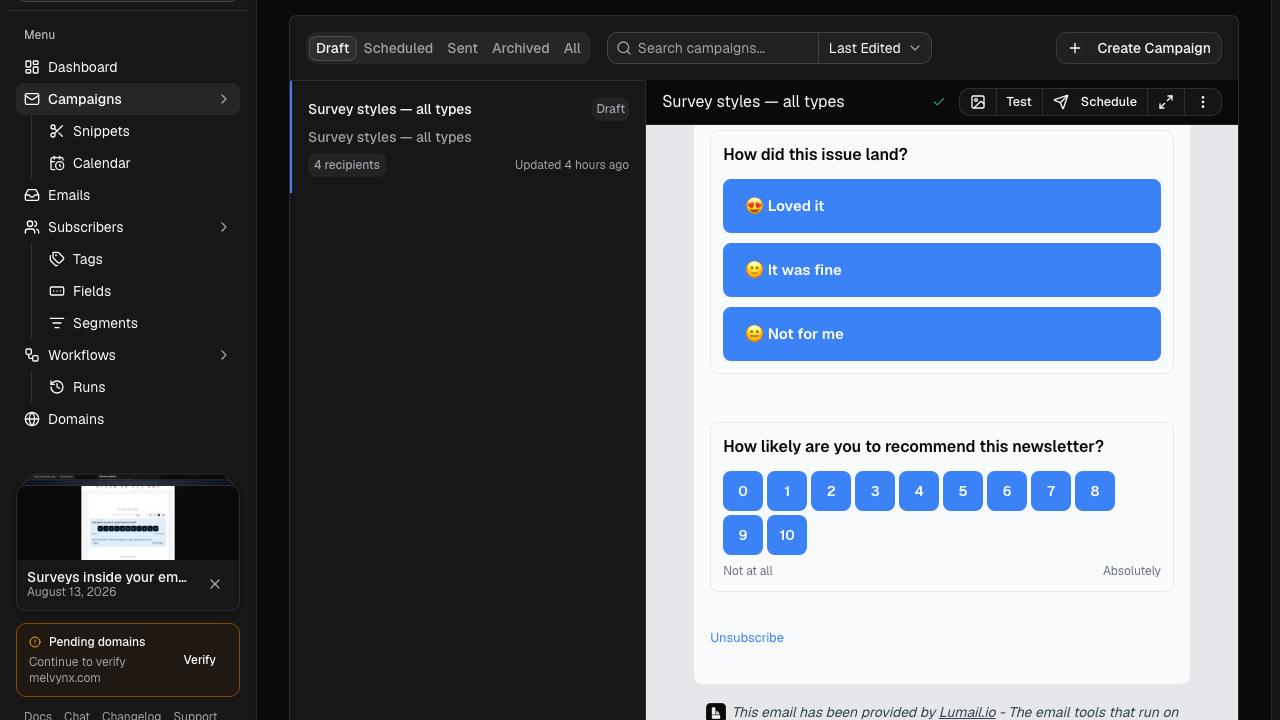
The second difference is dependency. MailPoet's email runs through a plugin on your WordPress host, so email availability is tied to that site. Lumail is independent of your website: the same organization can serve a WordPress blog, a SaaS app, and a landing page built with capture pages.
Choose MailPoet if you live in WordPress
MailPoet's appeal is that email becomes part of the site you already manage. Posts, media, and WooCommerce products drop straight into emails. Signup forms come in every shape, popup, slide-in, fixed bar, below posts, widget, and exit intent, and WooCommerce checkout can include an opt-in. Newsletters get a public archive, which Lumail does not host.
For stores, MailPoet adds abandoned-cart, first-purchase, and product follow-up automations, revenue stats per email, and branded WooCommerce order emails. Its own sending service handles delivery on the free and Business plans.
Choose MailPoet if:
- your site is WordPress or WooCommerce and you want newsletters, forms, and store emails without leaving wp-admin;
- you want managed sending, WooCommerce revenue stats, and checkout opt-in on one subscriber-priced plan;
- you run an agency that wants one license across up to 50 WordPress sites.
Compare the pricing models, not the starting prices
MailPoet prices by subscriber count, and the count is broad: it includes subscribed, inactive, and unconfirmed contacts, plus your WordPress users and WooCommerce customers. The free Starter plan covers 500 subscribers and 5,000 emails a month with MailPoet branding. Creator costs $8 a month at 500 subscribers but does not include MailPoet's sending service, so you send through your host or an SMTP provider. Business includes the sending service and unlimited emails: $10 a month at 500 subscribers, $80 at 10,000, and $290 at 50,000. Paying yearly saves about 10%.
Lumail prices by emails sent, with unlimited subscribers on every plan:
- Free: 3,000 emails per month, no credit card;
- Premium: $20/month with 40,000 emails included, then $0.60 per 1,000;
- Business: $200/month with 400,000 emails included, then $0.40 per 1,000.
A worked example
Say you run a WooCommerce store with 10,000 customers and subscribers. You send two campaigns a month plus order-related emails, around 25,000 emails in total.
On MailPoet Business, 10,000 subscribers costs $80 a month, with unlimited emails. On Lumail, 25,000 emails fits inside Premium, so the month is $20. Even at weekly campaigns plus store email, about 45,000 emails, Lumail is $20 plus 5,000 extra emails at $0.60 per 1,000, or $23.
The math reverses for small lists sent often. With 500 subscribers, MailPoet Business is $10 a month for unlimited emails, while Lumail is free only up to 3,000 emails, or six sends to that list, and $20 beyond that.
Compare automation and transactional email
MailPoet's automation builder reacts to WordPress and WooCommerce events: someone subscribes, registers, comments, changes role, or gets a tag, plus order, cart, and subscription events from the store. Actions include delays, sending emails, updating lists and tags, and notifying an admin. The free plan covers welcome emails, new-post notifications, and basic store automations; if/else branching, custom triggers, and subscriber-management actions need a paid plan and the Premium plugin.
Lumail's workflow engine is graph-based and included on every plan: subscriber, tag, event, schedule, and manual triggers; email, wait, action, and webhook steps; condition and weighted branches; goals and exit rules. It does not see WordPress events natively, so store events reach it through the API, but every workflow is readable and editable from the app, MCP tools, CLI, SDK, and API.
For transactional email, MailPoet can route all of your site's email, password resets, comment notices, and WooCommerce order and shipping emails, through its sending service or an SMTP provider, and those emails count toward plan limits. It is not a sending API for apps outside WordPress. Lumail sends transactional email for any app through the REST API or the SMTP relay at smtp.lumail.io:587 with STARTTLS.
Migrating from MailPoet to Lumail
- Export subscribers. Export your MailPoet lists as CSV, including unsubscribed contacts, and confirm you have consent records for everyone you import.
- Authenticate your sending domain. Add SPF and DKIM for Lumail and verify the domain. Keep MailPoet sending while DNS propagates.
- Replace signup forms. Use Lumail capture pages, or point your existing site forms at Lumail's API, so new subscribers land in Lumail from day one.
- Rebuild automations. Recreate welcome and store sequences as Lumail graph workflows. WooCommerce events such as abandoned carts need to be sent to Lumail as events.
- Decide where site email goes and connect your agent. Keep WordPress transactional email on your current setup or point an SMTP plugin at
smtp.lumail.io:587, then connect Lumail's MCP tools to your assistant and hand it one real task.
Frequently asked questions
Is Lumail a MailPoet alternative?
Yes, for newsletters, automations, signup capture, and transactional email, if you do not need everything to live inside wp-admin. For WordPress-native forms, post notifications, and WooCommerce store emails, MailPoet is the more natural fit.
Is Lumail cheaper than MailPoet?
It depends on list size versus sending. At 10,000 subscribers, MailPoet Business is $80 a month while Lumail is $20 for up to 40,000 emails; for a small list emailed very often, MailPoet's $10 unlimited plan can be cheaper.
What is the main difference between Lumail and MailPoet?
MailPoet is a WordPress plugin billed on subscribers, including inactive contacts and store customers. Lumail is a hosted email platform billed on emails sent, with graph workflows, transactional API and SMTP, and 89 MCP tools.
Can I migrate from MailPoet to Lumail?
Yes. Export subscribers as CSV, import them into Lumail, and rebuild automations as graph workflows; forms, post notifications, and WooCommerce templates stay in WordPress unless you replace them.
Which one should you choose?
Choose MailPoet if your business runs on WordPress or WooCommerce and you want newsletters, forms, and store emails managed from the same dashboard as your site, with managed sending and no extra tool to learn.
Choose Lumail if you want email that works beyond one website: unlimited subscribers billed by what you send, graph workflows and transactional email in one organization, 89 MCP tools for your agents, and 40,000 emails included for $20 a month.
You can start Lumail free with 3,000 emails per month and no credit card, review the pricing plans, or browse the full comparison hub.