Best MailerLite Alternatives in 2026: 7 Tools Compared
Compare 7 MailerLite alternatives by pricing model: Lumail, Sender, EmailOctopus, Brevo, Moosend, MailPoet and Kit, with real costs for a 25,000 list.
In this guide
The best MailerLite alternatives are Lumail, Sender, EmailOctopus, Brevo, Moosend, MailPoet and Kit, depending on whether you want to pay by emails sent, keep a large free plan, add SMS, stay inside WordPress, or sell to a creator audience. Most people start this search on MailerLite's pricing page, so this guide focuses on how each tool charges and what a real list costs.
We make Lumail, so it is listed first; every other entry is judged on the same criteria with facts from each vendor's pricing page as of August 2026.
Why people look for a MailerLite alternative
- The free plan is small. MailerLite Free covers 250 subscribers and 2,500 emails a month. A list that grows past 250 people moves to a paid plan, even if you send rarely.
- Paid plans follow the subscriber tier. Comfort starts at $12/month and Power at $25/month, and both scale with the number of subscribers you store, not only the number you email.
- Automations have plan limits. MailerLite's 2026 plan documentation lists up to three automations on Free, 50 on Comfort and unlimited on Power.
- Transactional email is a separate product. Receipts and password resets go through MailerSend, a sister product with its own account and billing.
MailerLite alternatives at a glance
| Tool | Best for | Free plan | Paid from | Pricing basis |
|---|---|---|---|---|
| Lumail | Large lists, workflows and product email | 3,000 emails/month, no card | $20/month (40,000 emails) | Emails sent; unlimited subscribers |
| Sender | A free plan with automations included | 2,500 subscribers, 15,000 emails/month | $10/month (1,000 subscribers) | Subscriber tier plus send cap |
| EmailOctopus | The cheapest simple email-only tool | 2,500 subscribers, 10,000 emails/month | $9/month billed yearly (500) | Subscribers plus send cap |
| Brevo | Email plus SMS, WhatsApp and CRM | 300 emails/day | Starter $9/month | Plan and monthly email volume |
| Moosend | Unlimited sends on a small-to-mid list | 30-day trial only | $9/month (500 contacts) | Contact tier, unlimited sends |
| MailPoet | WordPress and WooCommerce sites | 500 subscribers, 5,000 emails/month | $8/month (500 subscribers) | Subscriber count |
| Kit | Creators selling products and paid tiers | Up to 10,000 subscribers | $33/month billed annually (1,000) | Subscriber tier |
| MailerLite | Email plus websites and digital products | 250 subscribers, 2,500 emails/month | Comfort $12/month | Subscriber tier plus sends |
1. Lumail: best for paying by sends instead of subscribers
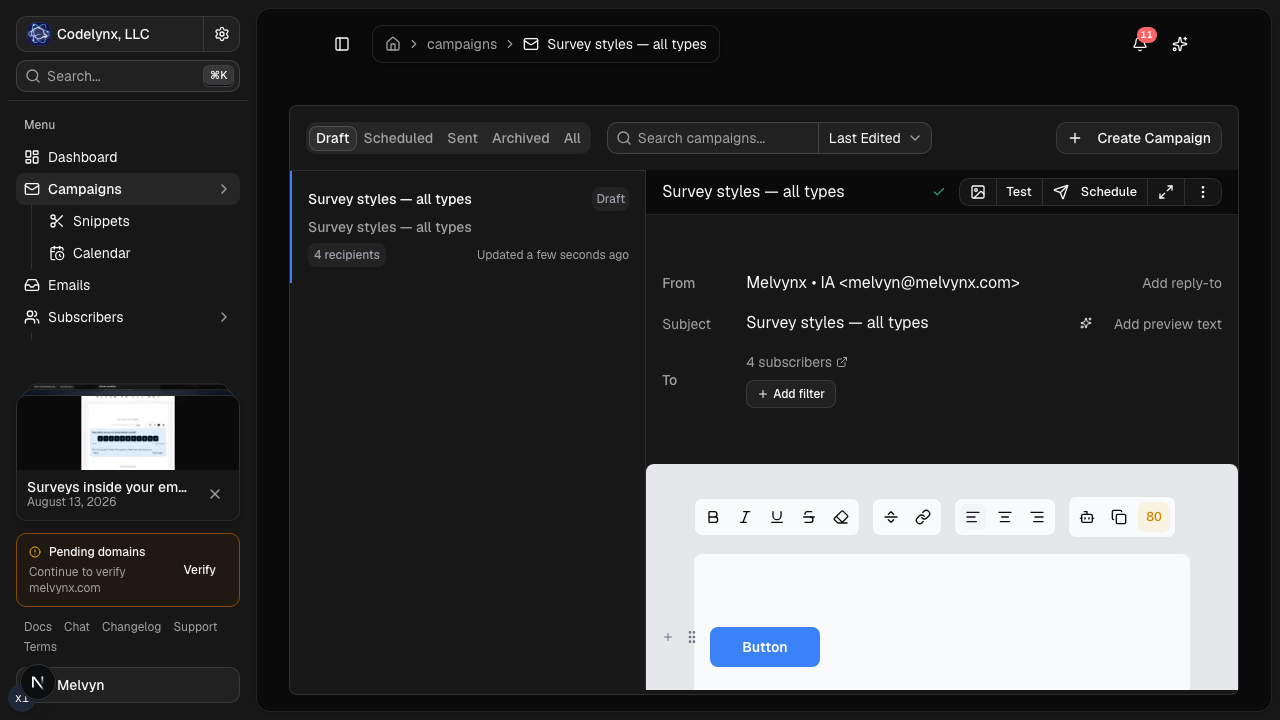
Lumail stores unlimited subscribers on every plan and bills only for emails sent, and campaigns, graph workflows and transactional email share one organization. That removes both MailerLite pain points at once: list growth alone does not raise the bill, and product email does not need a MailerSend account.
Pricing: Free for 3,000 emails/month, no card. Premium is $20/month with 40,000 emails included, then $0.60 per 1,000. Business is $200/month with 400,000 emails, then $0.40 per 1,000.
Choose it if:
- you store a big list but email segments of it;
- you want marketing and transactional email (REST API or SMTP at
smtp.lumail.io:587) under one roof; - you want AI agents to operate campaigns through 89 organization-scoped MCP tools, a CLI or the SDK.
Watch out for:
- there is no website builder or digital-product checkout; Lumail offers capture pages for list growth only.
See Lumail vs MailerLite side by side.
2. Sender: best free plan for a growing small business
Sender is the closest like-for-like swap: email, SMS, forms, popups, landing pages and visual automations, with transactional email in the same account. Its free plan is unusually complete.
Pricing: Free Forever with 2,500 subscribers and 15,000 emails/month, automations and transactional sending included. Standard starts at $10/month ($7 billed annually) for 1,000 subscribers and 12,000 emails.
Choose it if:
- you want a $0 plan that includes automations and transactional email;
- SMS, popups and landing pages belong in the same dashboard;
- you run Shopify, WooCommerce or PrestaShop and want native store workflows.
Watch out for:
- paid prices follow the subscriber slider, and crossing the free subscriber cap stops campaign sends.
See the full Lumail vs Sender comparison.
3. EmailOctopus: best for cheap, email-only campaigns
EmailOctopus does campaigns, automations, tags, forms and landing pages, and nothing else. For a MailerLite user who never touched the website builder, that focus is the point.
Pricing: Free Starter with 2,500 subscribers and 10,000 emails/month. Pro from $9/month billed yearly for 500 subscribers.
Choose it if:
- you want a low monthly bill and a simple interface;
- you already run Amazon SES and want EmailOctopus Connect on top of it.
Watch out for:
- the hosted product cannot send through an API or SMTP, so no transactional email;
- pricing follows subscriber count with a send cap of roughly 10× the tier.
See the full Lumail vs EmailOctopus comparison.
4. Brevo: best for email plus SMS, WhatsApp and CRM
Brevo bills by plan and email volume, not only by list size, and it combines marketing email, transactional email, SMS, WhatsApp and a sales CRM.
Pricing: Free for 300 emails per day. Starter from $9/month, Standard from $18/month, scaling with monthly email volume.
Choose it if:
- SMS, WhatsApp or CRM are real requirements;
- you want marketing and transactional email in one account;
- volume-based plans suit you better than subscriber tiers.
Watch out for:
- the free allowance is daily, so one newsletter to a few thousand people can exceed it;
- multi-step workflows start on Standard.
See the full Lumail vs Brevo comparison.
5. Moosend: best for unlimited sends to a small-to-mid list
Moosend prices by unique contacts and includes unlimited campaign sends on Pro, along with visual automations, landing pages, forms and ecommerce recipes like cart abandonment.
Pricing: No forever-free plan, only a 30-day trial. Pro starts at $9/month for 500 contacts; 10,000 contacts is $88/month. Pay-as-you-go credits cost $1 per 1,000 emails and never expire.
Choose it if:
- you email a modest list many times a month;
- you send seasonally and prefer credits that do not expire.
Watch out for:
- transactional email is a Moosend+ add-on or Enterprise feature;
- contact tiers climb quickly as the list grows.
See the full Lumail vs Moosend comparison.
6. MailPoet: best if your site runs on WordPress
MailPoet is a WordPress plugin. Newsletters, signup forms and WooCommerce automations like abandoned cart all live inside wp-admin, with an optional managed sending service.
Pricing: Starter is $0 for 500 subscribers and 5,000 emails/month. Creator starts at $8/month without the sending service; Business starts at $10/month with unlimited emails through MailPoet's sending service.
Choose it if:
- your site is WordPress or WooCommerce and you want email to stay there;
- you want store transactional templates and cart recovery without another dashboard.
Watch out for:
- the billed count includes inactive and unconfirmed subscribers, WordPress users and WooCommerce customers;
- there is no MCP, CLI or TypeScript SDK.
See the full Lumail vs MailPoet comparison.
7. Kit: best for creators who sell
If you used MailerLite for digital products, Kit is the creator-focused alternative, with paid newsletters, a recommendation network and product sales.
Pricing: Free up to 10,000 subscribers with one basic automation. Creator from $33/month billed annually for 1,000 subscribers.
Choose it if:
- selling products and paid subscriptions is central;
- you want the recommendation network for growth.
Watch out for:
- more than one automation requires Creator, priced by list size;
- no transactional email API.
See the full Lumail vs Kit comparison.
How to choose a MailerLite alternative
The MailerLite alternatives above split into three pricing models: subscriber tiers, email volume, and flat contact tiers with unlimited sends. Start from your list shape.
| Question | If yes, look at |
|---|---|
| Is your list big but emailed selectively? | Lumail (billed by sends) |
| Do you need a strong $0 plan? | Sender, EmailOctopus, Kit |
| Do you need SMS or WhatsApp? | Brevo, Sender |
| Is your site WordPress? | MailPoet |
| Does your app send receipts or resets? | Lumail, Sender, Brevo |
| Will an AI agent run the account? | Lumail; Sender and Kit also offer MCP |
Migration effort matters too: plan to rebuild automations and templates by hand on whichever tool you pick.
A worked example: 25,000 subscribers, two campaigns a month
Two sends to 25,000 people is 50,000 emails a month. Monthly list prices:
| Tool | Monthly cost for this list |
|---|---|
| Lumail | $26 (Premium $20, plus 10,000 extra emails at $0.60/1,000) |
| Sender | $117 (Standard, 25,000 subscribers) |
| Moosend | $160 (Pro, 25,000 contacts) |
| MailPoet | $200 (Business, 25,000 subscribers) |
| MailerLite | Check its pricing page for your tier |
The math flips for a 500-person list you email daily: Moosend Pro at $9 with unlimited sends can then beat a send-based plan.
How to migrate from MailerLite
- Export actives and suppressions. Download subscribers with fields and groups, plus unsubscribed and bounced addresses. Import the suppressions first.
- Authenticate your domain. Add SPF and DKIM records on the new platform and verify them before sending anything.
- Rebuild your most important automation. Usually the welcome sequence. Test it with a few internal addresses.
- Send a test campaign to one segment. Pick engaged subscribers, check rendering and links, and watch bounces.
- Move the rest and switch transactional. Import the full list, then point any MailerSend traffic to the new provider's API or SMTP.
Frequently asked questions
What is the best free MailerLite alternative?
Sender's Free Forever plan covers 2,500 subscribers and 15,000 emails a month with automations and transactional email. EmailOctopus offers 2,500 subscribers and 10,000 emails. Lumail's free plan is 3,000 emails a month with no subscriber limit.
Is there a cheaper alternative to MailerLite?
For large lists, usually yes. Lumail bills by emails sent, so 50,000 emails a month costs $26 whatever the list size. For very small lists, EmailOctopus and Moosend start at $9/month.
MailerLite vs MailerSend: what is the difference?
MailerLite is the marketing product for newsletters, automations and websites. MailerSend is its sister product for transactional email via API and SMTP, with a free plan of 500 emails a month (card required) and Hobby at $7 for 5,000 emails. Lumail covers both in one account.
MailerLite vs MailPoet: which should I use?
Use MailPoet if your site is WordPress or WooCommerce and you want email inside wp-admin. Use MailerLite, or another hosted tool, if you are not on WordPress or want a website builder outside it.
What is the best MailerLite alternative for developers?
Lumail: 89 organization-scoped MCP tools, a CLI, a TypeScript SDK, a REST API and SMTP, with marketing and transactional email in the same organization.
Price your real list before you switch
MailerLite remains a strong pick if you use its website builder and digital products. If your bill is driven by list size you rarely email, start Lumail free with 3,000 emails a month, or compare every option in the comparison hub.